Airports
CargoPilot registers all airports utilized for its advanced quoting functionality. Registered airports can serve three purposes:
- Departure Airport (e.g., AMS → DXB): Used as the origin for shipments.
- Arrival Airport (e.g., AMS → DXB): Used as the destination for shipments.
- DAP (Delivered At Place) Airport (e.g., AMS → DXB → Burj Khalifa, Dubai): Requires a DAP charge specific to the airport’s country of origin.
The first two are straightforward; registered airports appear in the Departure Airport and/or Arrival Airport lists in the Movement Scope section when requesting a quote.
For a DAP airport, a DAP charge must be available for the destination country’s airport. In the example above, DAP charges for Dubai are required because DXB airport will be used to calculate and search the quote.
Creating airports
- Navigate to the admin panel
- Navigate to
Application management > Airports - Click
Create Airportlocated top-right of the table - Fill in all the required fields
- Click
Create Airport
How do Airports function in CargoPilot?
When creating an airport, the airport will function as departure and/or arrival and/or as a DAP airport. Based on your created airport, the values departure, arrival, or dap determine under which dropdown the airport is available.
All quote requests from or to door (e.g. Door to door...) trigger CargoPilot's nearest airport functionality when the user searches an address. Let's say the user searches "Euromast" as Door to "Tour Eiffel" as its Door destination, CargoPilot will search for its nearest destination airport available from "Euromast" and the "Tour Eiffel" addresses.
Port to port example
Departure airport
When creating AMS - Schiphol, ticking the departure checkbox, the airport will be shown under the departure airports dropdown. Users can now select AMS - Schiphol as their departure airport whilst requesting a quote.
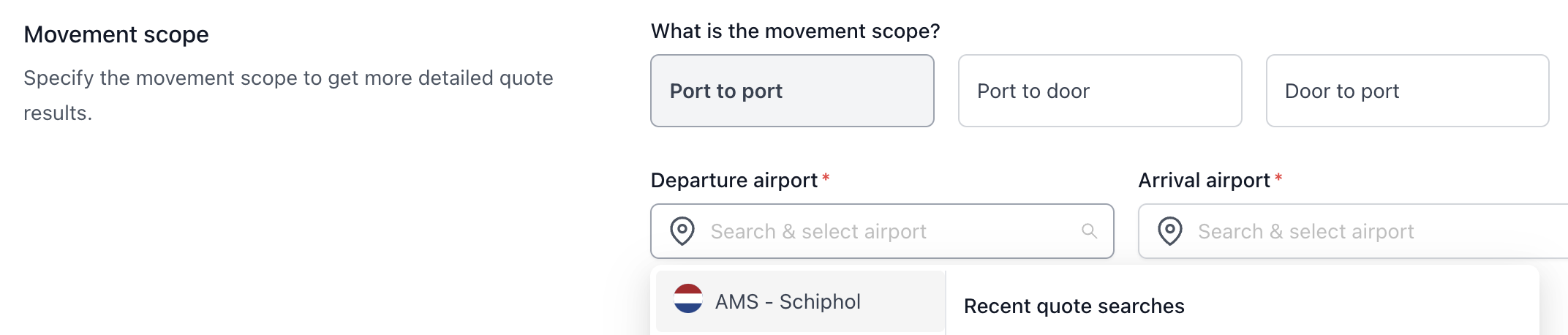
Arrival airport
When creating CDG - Paris, ticking the arrival checkbox, the airport will be shown under the arrival airports dropdown.
Users can now select CDG - Paris as their arrival airport whilst requesting a quote.

Door to door example
As shown in the previous example, AMS - Schiphol is created and functions as a departure airport, CDG - Paris is created and functions as a arrival airport.

In the screenshot above CargoPilot will search for its nearest airport from "Euromast", which is AMS - Schiphol, and "Tour Eiffel", which is CDG - Paris.
When the users adds RTM - Rotterdam The Hague Airport as an departure airport, CargoPilot will automatically use RTM since its the nearest from "Euromast".
Because the user is searching for a Door to door quote, DAP charges have to be present. If not, the user will be presented with the "Selected address has no possible options for Door to door" error message. Documentation and information about creating DAP charges can be found at "TODO: ADD LINK TO DOCS"